
If you’ve ever opened a PDF report, pulled out a few stats, and then lost an hour trying to turn them into something PowerPoint-shaped, you’re not alone.
The good news is that with the launch of the new Generate Presentation tool, Adobe Acrobat now has a genuinely useful “bridge” between research and presentation.
Now, you can use AI Assistant to extract a clean narrative from your documents, organise multiple files and links, and then generate a presentation to turn that outline into a ready-to-edit deck using Adobe Express’ design tools.
In this guide, we’ll walk through a practical, desktop-first workflow, using the app’s AI writing tools and summary generator to make accurate data more eye-catching.
The process is pretty simple. Gather source files, turn them into a tight slide outline, generate the presentation, and then do the human polish that makes your slides feel engaging rather than AI-generic.
So, whenever you need to create presentations based on your PDFs and other files for work or for pleasure, Adobe’s Acrobat and its built-in AI Assistant are a good place to start.
Please note: All of the information is correct as of February 2026. Adobe regularly updates its products, so some steps or features may change.

What you need
To follow along, you’ll mainly use Acrobat on desktop (AI Assistant plus PDF Spaces for multi-source projects), then use Generate Presentation.
This option taps into Adobe Express tools to turn your prompt and documents into an editable deck you can refine and export as PPTX or PDF.
Gather your source documents
Start by gathering one “core” PDF plus a couple of supporting files (another PDF, a DOCX, an XLSX, or a link). If you’re working across multiple sources, drop everything into a PDF Space so you can summarize and query it as one project.

Use AI Assistant to extract the story
Once you’ve got your core PDF open in Acrobat (and, ideally, your supporting files organised in a PDF Space), extract a clean narrative and the proof points that support it.
Acrobat’s AI Assistant is designed to answer questions based on your document content. Crucially for a presentation workflow, it can highlight the source passages it used. Use the Summarizer tool to extract the key points within the document.
Start with a presentation-friendly summary, not a generic one. Ideally, you want a short list of “what changed” insights that can become slide titles, so ask the AI to keep each point tight and outcome-led.
An example Acrobat AI prompt: “Summarize this document in 6 bullets for a presentation. Keep each bullet under 18 words, and focus on what changed, why, and what to do next.“
Then move straight to evidence extraction, because this is what separates an engaging deck from a vague one. Ask for the strongest numbers, where they appear, and what they actually mean in plain English.
An example prompt: “Pull out the key stats I should put on slides. For each one, add a one-sentence takeaway and the supporting context from the document.”
If you’re using a PDF Space, you can run the same approach across multiple files and links, which is especially handy when your story sits across a report, a notes doc, and a spreadsheet.
An example PDF Space prompt: “Across everything in this Space, what are the 5 strongest takeaways, and what evidence supports each one? Keep it in a slide-ready format.”
Finally, ask AI Assistant to turn what you’ve learned into a slide outline. This is where you’ll save the most time later, because you’re telling the AI what a good deck looks like before you ever hit “Generate presentation”.
Example prompt: “Create a 10-slide outline for a 10-minute talk. For each slide: write a conclusion-style title, 2–3 bullets, and one sentence of speaker notes.”
As you go, use the built-in highlighting/citation behaviour as your quality filter: if a number looks surprising, click back to the source passage and confirm it’s being interpreted correctly by the summary generator before you build slides around it.

Shape the outline
Before you generate any slides, take a moment to think about the overall story you want to tell and in what context.
AI is very good at producing “a lot of presentation”, but the best decks usually have a simple structure that keeps the audience oriented.
For example, if you’re presenting findings from a report, aim to get down to three to five messages you want the room to remember, then build the slide list around those.
A useful trick is to make your slide titles do the work.
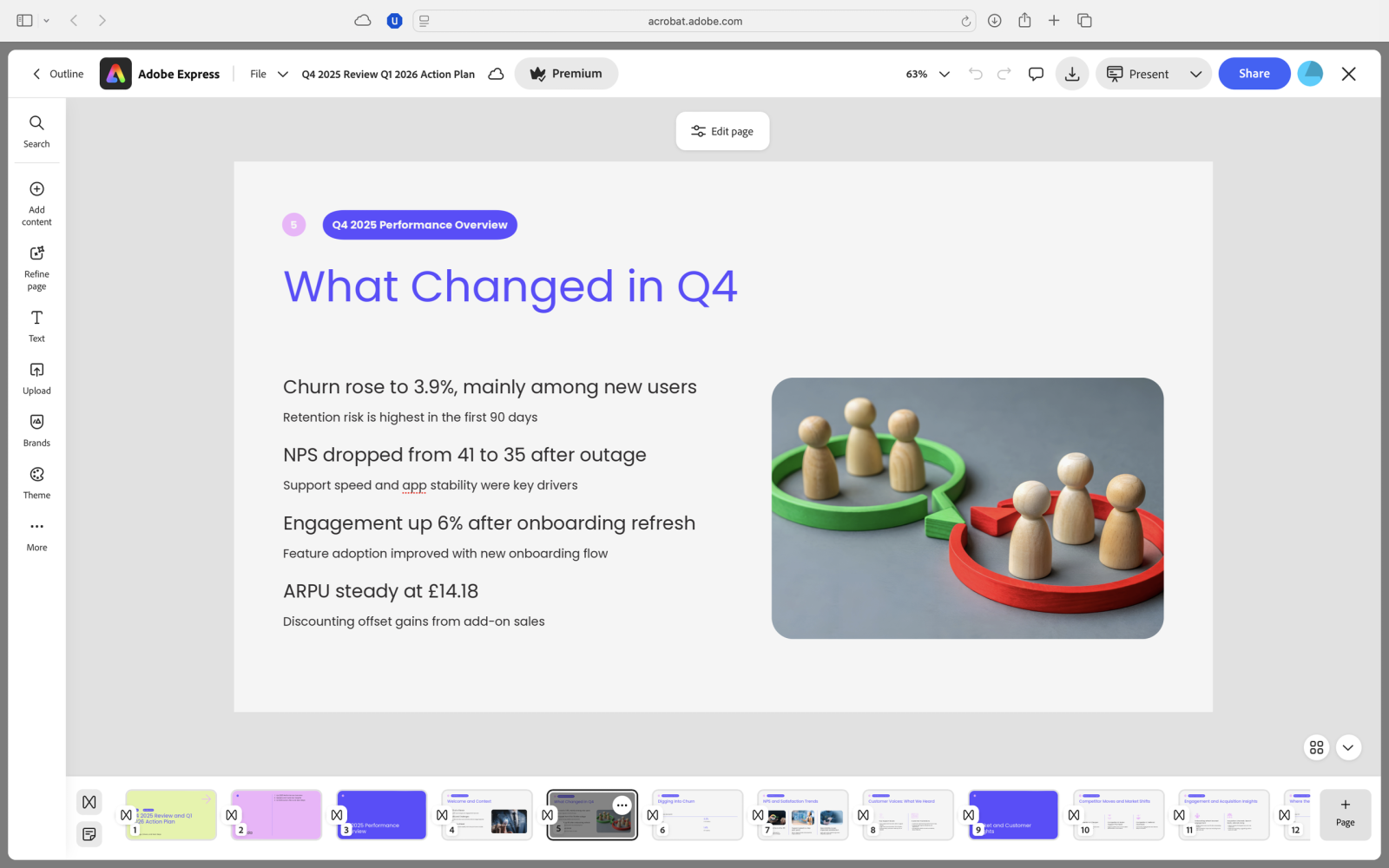
Instead of “Churn” or “Customer support”, write conclusion-style headlines such as “Churn rose, but the risk is concentrated in the first 90 days”, which makes the deck easier to scan and stops AI-generated slides drifting into generic headings.
If you’re struggling to condense these headings, or any of your passages, it’s worth checking Acrobat’s AI writing tools for help.
The summary generator and PDF editing tools can help generate ideas and double-check your grammar and overall readability, while Adobe Acrobat for ChatGPT is a fully fledged tool that can also extract information and create new ideas for your documents and presentations.
Once you’ve got a draft outline, do an “anti-bloat” pass: one idea per slide, keep text speakable, and save detail for speaker notes.

Generate the presentation
With your outline in place, it’s time to let Acrobat do the heavy lifting. Open Generate Presentation and choose whether to start from a straight text prompt, uploaded files, or content pulled from a PDF Space.
Acrobat will create an outline first, so you can reorder slides, delete filler, and add anything missing before you generate the full deck.
When you’re happy, pick a template and generate. Your presentation then opens in an Adobe Express-style editor, where you can refine layouts, typography, and media like you would in a dedicated design tool.
For the best results, be specific in your prompt about slide count, audience, and tone, and upload only the sources you actually want the AI to reference. Again, if in doubt, you can check you’re hitting the right note with the AI writing tools.

Make the deck engaging
Treat the first generated deck as a draft you can argue with. The quickest way to make it feel more engaging is to fix the slide titles first: rewrite them as conclusions the audience can absorb at a glance.
Once the headlines are doing the work, cut the body text hard – aim for a short set of bullet-points that you can actually speak, and keep the detail for speaker notes.
The summary generator and AI writing tools here should prove good companions here, but it’s always worth reading these passages out-loud to check they match your flow and presentation style.
Next, check pacing. AI tends to produce a lot of “samey” slides, so introduce deliberate variety. If a slide is structurally wrong, don’t waste time nudging it line by line – use the editor’s regenerate/recreate approach.
Finally, do a credibility pass. If your deck includes figures pulled from PDFs, make sure the numbers match the source and that the claim you’re making is supported by what the document actually says.
Acrobat’s AI Assistant can actually help here by pointing you back to the relevant passages. It’s worth investing the time to avoid easy mistakes.
Export and share
Once the deck looks right, export it in the format that fits your workflow: PDF is ideal for consistent formatting when you’re presenting or sharing a final version, while PPTX is better if you need collaborators to edit in PowerPoint.

Common mistakes and quick fixes
AI-generated decks usually fall down when the prompt is vague, the slide count is too high, or key claims aren’t checked against the source.
We recommend tightening the audience and outcome in your prompt, keeping to a sensible number of slides, and using Acrobat’s AI Assistant highlights and citations to verify anything you’d put in a headline.
FAQs
- Can Acrobat’s AI create a presentation from multiple documents at once? Yes, you can generate from multiple uploaded files.
- How long can my prompt be when generating a presentation? Up to around 1,000 words, per Adobe’s FAQ.
- Does Acrobat AI cite sources? AI Assistant can show highlights/citations back to the PDF passages it used.
- Can the AI Assistant help me write a presentation? Yes, Acrobat’s AI writing tools can help you create new ideas and check existing content for errors and readability.
- How does Acrobat’s summary generator work? The Summarizer tool generates a brief overview of all or parts of your document for quickly parsing data.
- Can I edit the deck after it’s generated? Yes, you can edit it in an Adobe Express-style editor, then export as PDF or PPTX.
- What languages are supported for AI presentation generation? Adobe’s Express docs list English and French.
















Leave a comment